 Your Intelligent Co-Captain, Always on Watch
Sea Sports: Record Your Jet Ski, Kite, Dinghy, Kayak and Swim Sessions
AnchorQueen 2.4.6 records seventeen water sports with jumps, waves, tacks and stroke rate, adds personal bests, your own gear in the fleet, Apple Watch recording, ocean life near your track and 3D replays with the Trackcam.
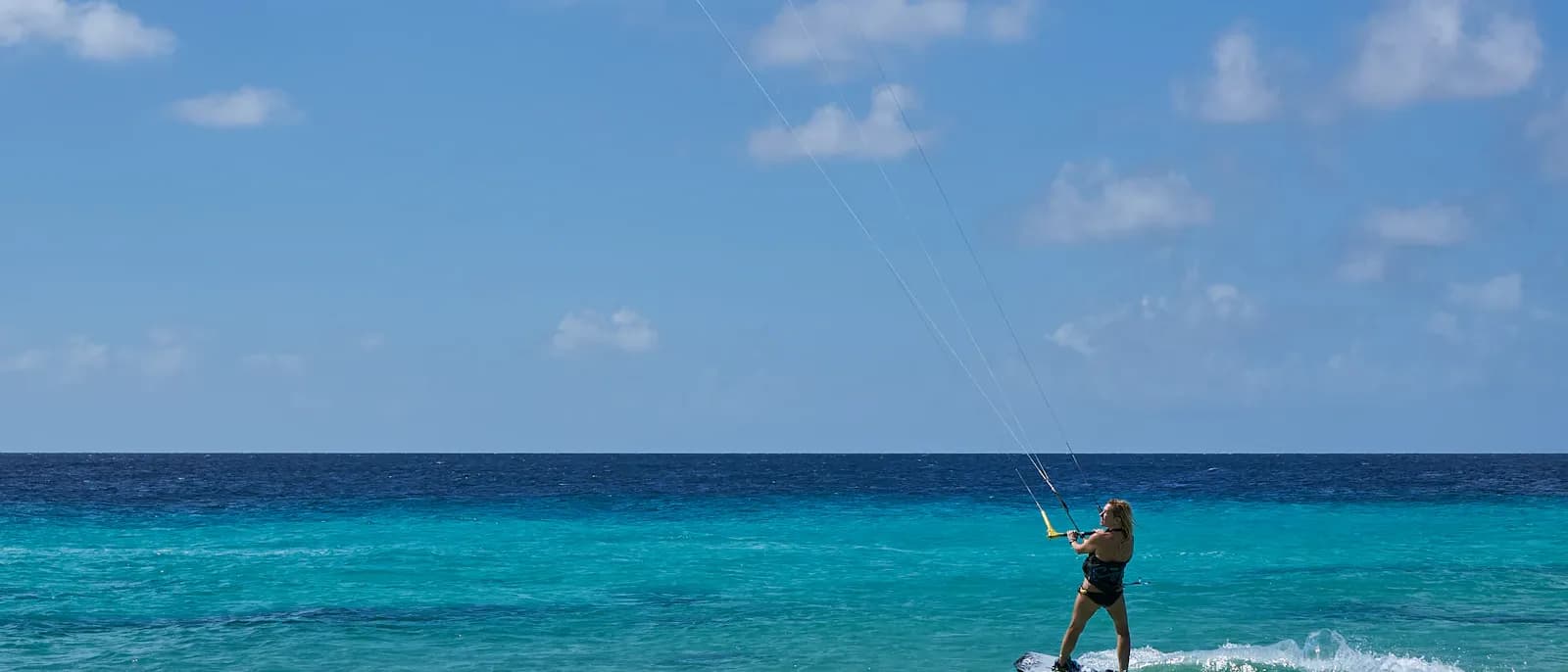
AnchorQueen has always been about the passage: the track, the depth, the weather, the log. Version 2.4.6 takes that same engine off the yacht and onto everything else that floats, flies or swims. Sea Sports records seventeen sports at full GPS rate, adds the motion sensors of your iPhone or Apple Watch, and turns the result into a session you can review, beat and replay in 3D.
Seventeen sports, seven families
Press and hold the Voyage pill on the chart, or open the Voyage panel and tap Sea Sports. Every sport belongs to a family, and each family measures what matters to it:
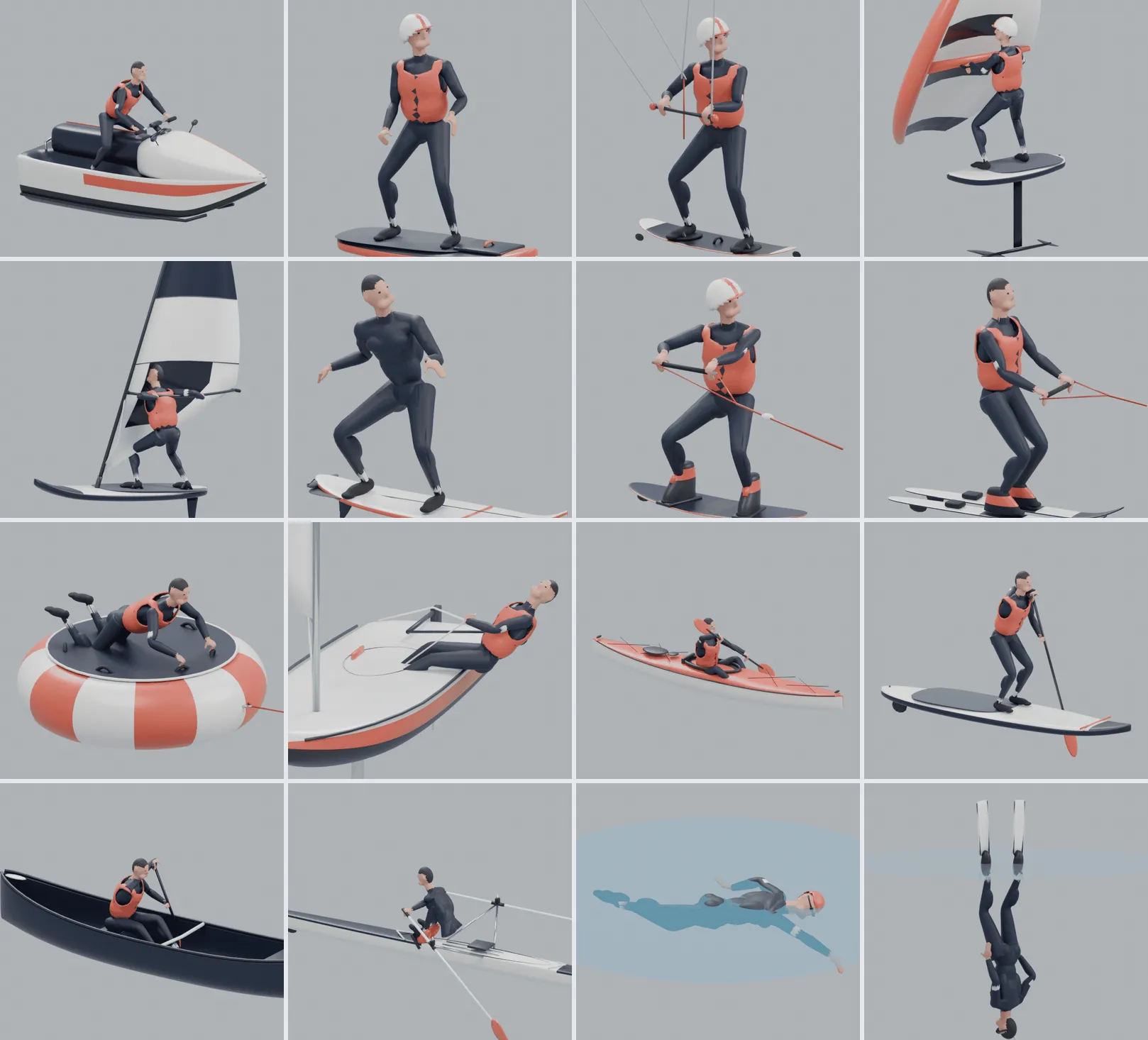
One tap on a sport starts recording. Your last sport sits first under Start again, so the second session of the day takes a second.
Akyaka: a big-air afternoon
To show what a session looks like, we built three sample sessions into the app. The first is a kitesurf run off Akyaka, at the head of the Gökova Gulf, in a west-south-westerly of 22 to 28 knots with gusts to 32.
Forty-two minutes, 26.6 km, a top speed of 28.0 knots, sixteen beam-reach legs and eleven jumps. Every jump is listed with its height, airtime, distance and the wind at the moment you took off. The biggest one of the day hangs 8.3 m above the water, and a little trophy marks it. A jump the sensors were unsure about is tagged Estimated, so the numbers never pretend to be more than they are.
The Wind vs height chart plots each jump as a dot: wind speed across, height up, coloured by whether you were heading upwind, on a reach or downwind. After a few sessions it answers the question every kiter argues about on the beach: how much wind do I actually need?
Live figures while you ride
A panel at the top-left of the chart shows the sport, elapsed time, speed and top speed, plus three figures chosen for your sport: jumps, best height and airtime for kiters; waves and longest ride for surfers; tacks, gybes and maximum heel for dinghy sailors; stroke rate and strokes for paddlers, rowers and swimmers. It stays on screen in Route, Discover and Voyage, so you can keep the chart you prefer.
Personal bests, and the gear you ride
AnchorQueen keeps your records per sport and per piece of gear. Finish a session that beats one and a New personal best banner appears on the chart; the record's figure wears a PB badge in the session details. Your captain profile gains a Sea Sports section with lifetime totals and your latest records.
Gear lives in the same fleet as your boats. Add your kite, your board or your dinghy, attach it to the vessel that carries it, and My gear leads the start screen: tap a piece of gear to start that sport on it, and its records stay separate from the rest.
Bodrum: a dinghy race in numbers
The second sample session is a windward-leeward race on the bay off Bodrum, in a northerly of 14 to 18 knots.
Fifty-three minutes and 7.5 km later you have fifteen tacks, five gybes and a heel angle that peaks around 27 degrees and flips sign as you cross the boat. Every tack and gybe is a row in the review with its angle, how long it took and your speed. Your best upwind VMG shows up as a headline figure. Tacks and gybes need the wind, which AnchorQueen fetches when the session starts.
Kekova: a sunken city by kayak
Not every session is about speed. The third sample is a 9.2 km paddle from Üçağız along Kekova Island, with a pause over the sunken city and a rest at Kaleköy before heading home along the mainland shore, at a steady 3 knots and 55 strokes a minute.
Paddlers get stroke rate, stroke count and capsizes. And because the review also has an Ocean life card, you see the marine species, dive sites and charted wrecks recorded within about 5 km of your track, each with its distance. Tap one and AnchorQueen opens Merconi on that spot. For swimming, snorkelling and freediving the card comes first and shows more.
Routes that hug the shore
Planning a paddle? In the route panel tap Kayak, SUP, Canoe or Rowing and the route is re-planned for you: it stays within roughly 600 to 700 m of the coastline and follows bays instead of cutting across open water, keeps out of shipping lanes and separation zones in both directions, treats shallow water as fine, and gives ETAs at paddling pace (3 knots for a kayak or canoe, 2.5 for a SUP, 4 for rowing). A paddle route is a planning aid, not a safety guarantee: check the weather, wind against tide and surf at your landing before you set off.
Replay it in 3D
Tap Watch in 3D on any session. Your board, kayak, skis or jet ski appears with an animated rider who moves the way you did: the surfer pops up on each wave, the dinghy sailor hikes out and crosses the boat in every tack, rowers and paddlers stroke at your recorded rate. Every jump is drawn as an arc over the water with its height and airtime, and replays slow down to real time through each one.
The Trackcam is a low camera beside you that moves in before a jump, circles you in the air and settles after the landing. Every camera keeps you in frame, even behind a headland. Waves, tacks and gybes are marked along the track; tap a label to jump to that moment.
From your wrist, or by voice
You do not need your iPhone on the water. Open AnchorQueen on your Apple Watch, pick a sport and the session starts with Water Lock on. The watch shows your figures in knots and metres, taps your wrist after every jump and saves the session to Health as a workout with its route. When your iPhone is in range it joins your passages on its own. Record on iPhone, Apple Watch or both: with both, you keep the iPhone's track and the jumps and turns measured on your body.
Siri and Shortcuts work without any setup. Say "Start a Kitesurf session in AnchorQueen", or put your sport on the iPhone Action Button, and recording begins as soon as the app opens.
Try it
Sea Sports is part of AnchorQueen 2.4.6 on iPhone, with Apple Watch recording. Press and hold Voyage, pick your sport, and go. When you are back on the beach, the session is waiting: your jumps, your waves, your tacks, the wildlife you swam past, and a 3D replay to show your friends. Every screen is explained in the Sea Sports chapter of the manual.
Seventeen sports, one app, and the same careful track you trust at anchor. Fair winds, and big air.

Captain Barkin Takmaz
Founder & Lead Marine Systems Engineer
Offshore sailor, marine systems researcher, and creator of AnchorQueen. Dedicated to bringing academic-grade bathymetric routing and predictive safety to modern mariners.
Subscribe to the Captain's Weekly Digest
Get weekly marine weather trends, anchor safety tips, bathymetric navigation guides, and new feature updates delivered straight to your helm.
Sail Safer with AnchorQueen on iOS & iPadOS
Experience high-resolution bathymetric charts, automated SOLAS V/28 passage logs, predictive anchor alarms, and Jules AI co-captain.

Recommended Reading
Explore more insights on marine navigation, safety, and seamanship.
Mastering Passage Recording: How Background GPS & SOLAS V/28 Logs Keep Captains Safe
Discover how automated background passage recording, smart course-change detection, and IMO SOLAS V/28 digital logbooks eliminate paperwork while creating rich, replayable voyage archives.
Why Standard Anchor Alarms Fail at Night: Predictive Drift, Swing Circles & Bathymetric Safety
Learn why simple circular geofences cause false alarms at 3 AM, how wind shifts fool basic anchor apps, and how predictive drift modeling keeps you sleeping soundly.