
Sleep. The watch is set.
The free anchor alarm for iPhone — drop the hook, take the auto radius, and sleep.
The anchor alarm is free — no card, no trial wall.
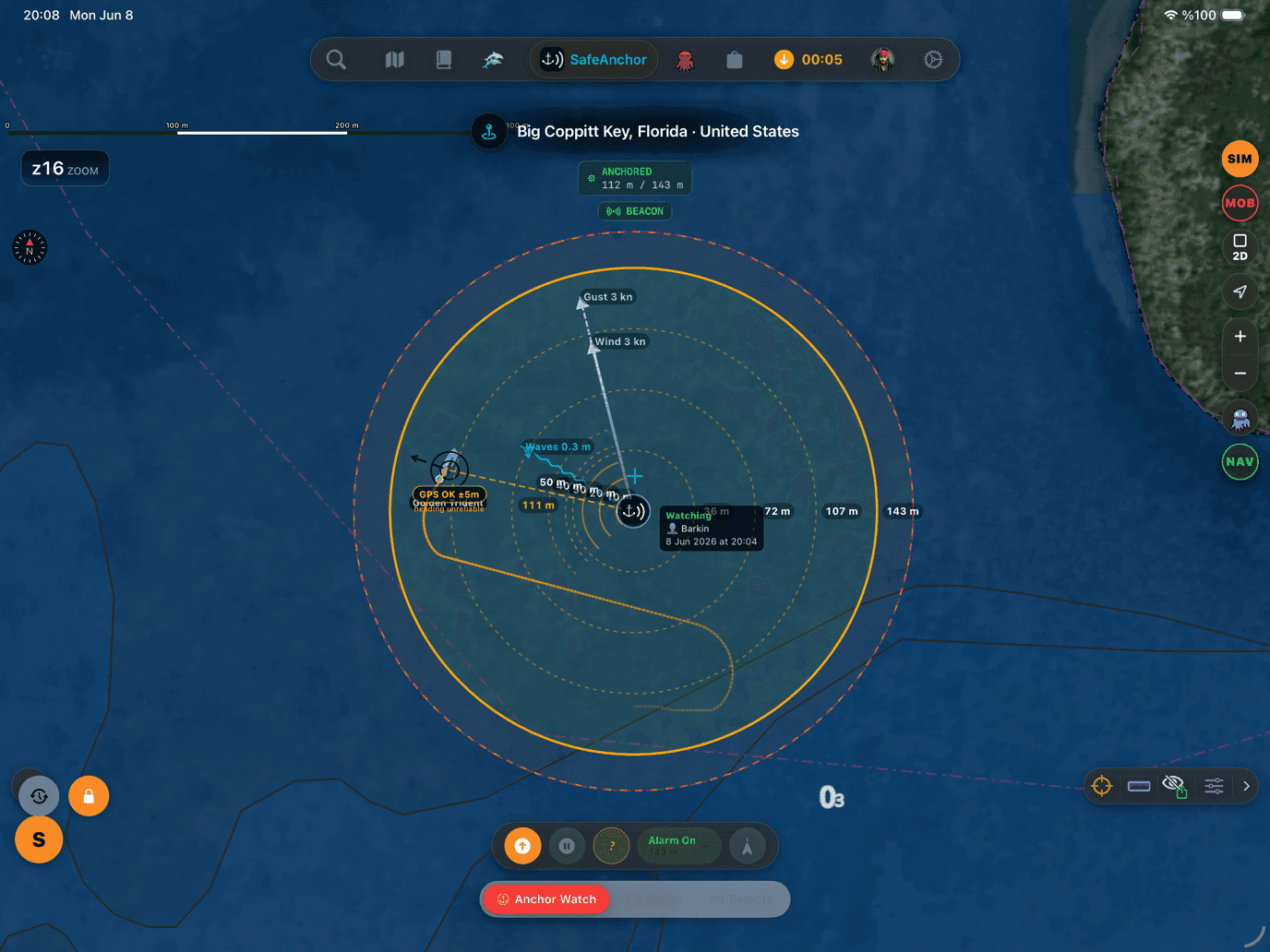
Sailed with the original SafeAnchor.net app? Everything you know is still aboard — the classic radar screen, your anchor history, and a setting that starts the app just like it always did.
A night at anchor, step by step
Every feature a serious anchor watch needs, grounded in your real GPS track, live weather and the chart under your keel.
Drop the hook
Let the boat settle, tap Drop Anchor, and the watch arms itself the moment the pin commits — no separate arm step.
Take the auto radius
A GPS-aware alarm radius is set for you — your swing plus a margin for GPS accuracy. Re-tune it any time with the slider.
Guarded either way
Yes. In the background the alarm arrives as a Critical Alert notification, re-posted every 30 seconds for 5 minutes until acknowledged. An OS-level geofence also backs the watch, so a drag still triggers even if iOS closes the app.
If the anchor drags
Yes. With Critical Alerts allowed, the anchor-drag alarm sounds even when the phone is muted, the ringer is down, or a Focus / Do Not Disturb is on. If you decline the permission, it falls back to a Time Sensitive notification that pierces Focus but respects the mute switch.
Everything your night watch needs
Every feature a serious anchor watch needs, grounded in your real GPS track, live weather and the chart under your keel.
Anchor drag alarm
GPS-locked anchor drop
Alarms that pierce mute
Seabed & holding
Drift forecast
Remote monitoring
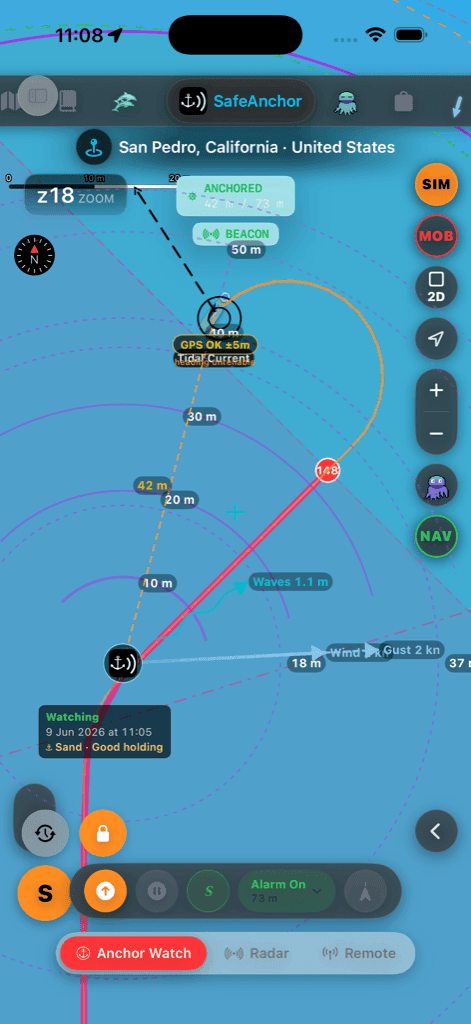
The watch on deck
A real capture from the SafeAnchor tab — swing circle, seabed badge and the command panel.
The SafeAnchor.net app sails on
AnchorQueen grew out of SafeAnchor.net — the same app on the App Store, updated in place. Nothing was taken away: the anchor-watch flow you trusted for years lives on in the SafeAnchor tab, alongside the new charts, routing, weather and Jules.
The classic Radar screen
The original radar-style anchor screen is preserved unchanged — the same drop / lift / alarm flow, one tab away.
Start with SafeAnchor
One switch in Settings opens the app straight onto the classic screen at launch — for captains who want the experience exactly as before.
Your history stays
Anchorages, tracks and your account carry over untouched — it is the same app, so nothing needed migrating.
Settings → Safe Anchor → Start with SafeAnchor
Anchor alarm questions, answered
Does the anchor alarm work when my iPhone is muted?
Yes. With Critical Alerts allowed, the anchor-drag alarm sounds even when the phone is muted, the ringer is down, or a Focus / Do Not Disturb is on. If you decline the permission, it falls back to a Time Sensitive notification that pierces Focus but respects the mute switch.
Does it keep watching with the screen locked or the app in the background?
Yes. In the background the alarm arrives as a Critical Alert notification, re-posted every 30 seconds for 5 minutes until acknowledged. An OS-level geofence also backs the watch, so a drag still triggers even if iOS closes the app.
What alarm radius should I set?
You usually don't have to: on drop, a GPS-aware radius is auto-set from your swing plus a margin for GPS accuracy. Tap the scope chip to reveal the slider and re-tune it whenever you pay out more rode.
Is the anchor alarm free?
Yes — the anchor watch, drag alarm and Critical Alerts are free, with no card and no trial wall. Subscriptions add longer drift-forecast horizons and real-time remote monitoring.
Set the watch tonight
The free anchor alarm for iPhone — drop the hook, take the auto radius, and sleep.